Getting started
Install the app, connect your agent and see your first prototype.
What Sneak Peek is
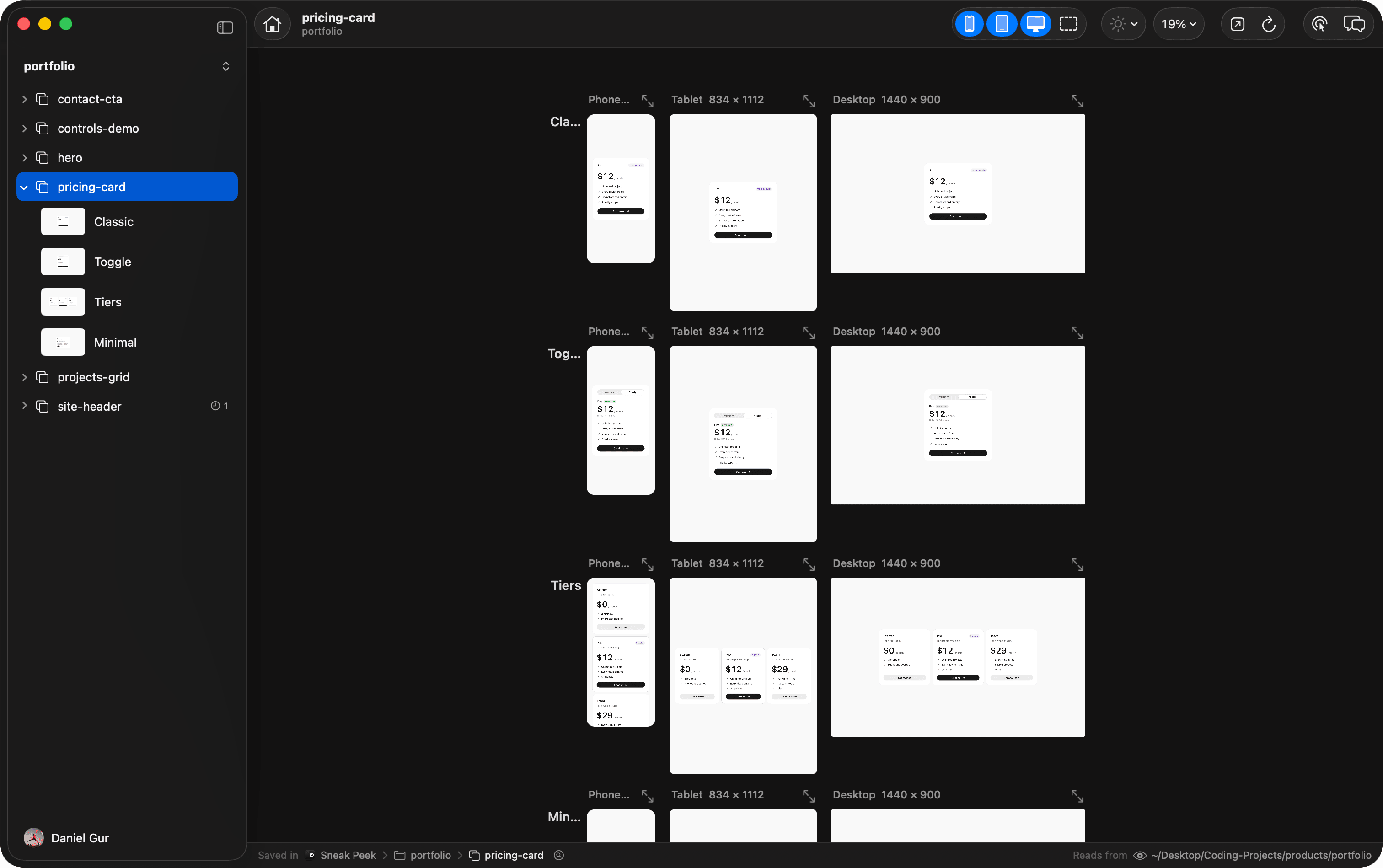
Sneak Peek is a Mac app where your coding agent, Claude Code or Codex, writes a few versions of a screen in your project’s real code. Ask for a few takes, and each one appears on one canvas as the agent writes it, running with your real components, tokens and styles, on phone, tablet and desktop side by side. They are not mockups: the take you pick is already working code.
Prototypes live in the app’s own folder, not in your repo. Nothing in your project changes until you ask your agent to build the take you picked into it.
What you need
Free. For React projects on Next.js or Vite. macOS 14 or later on Apple silicon, with Claude Code or Codex.
Google Chrome is optional. Your agent uses it to take screenshots of your prototypes when Sneak Peek is closed.
Install
- Download Sneak Peek from the download link and open the disk image.
- Drag Sneak Peek to Applications, and open it from there.
- Sign in with GitHub or Google, or continue as a guest.
On first launch, the app connects itself to the agents on your Mac: it gives Claude Code and Codex its skill and registers its tools, so your agent knows how to write prototypes and show them to you. It carries its own Node, so there is nothing else to install.
Claude Code can also get Sneak Peek as a plugin. With the app installed, run:
$ claude plugin marketplace add michael-jordan-coder/dev-playground-releases
$ claude plugin install sneak-peek@sneak-peek
When the plugin is on, the app takes out its own copy, so Claude Code has one of each.
The welcome screen
Until you have a project, the app opens on Bring in your first project. It shows each agent on your Mac and whether it is ready to work with Sneak Peek, with the one step that makes it ready:
- Connected
- Ready. Nothing to do.
- Get Claude Code, Get Codex
- Not installed yet. Opens the page to install it.
- Sign In in Terminal
- Installed, but not signed in. Opens Terminal to sign in with the agent’s own login.
- Fix with Claude, Fix with Codex
- The agent works, but could not connect to Sneak Peek. Opens it in Terminal, asked to fix that. It asks you before it changes anything.
- Open in Terminal
- The agent did not answer. Opens it in Terminal, where it says what is wrong.
Once one agent is connected, Choose a Folder… brings your project in. You can also drop the folder from Finder. The first time, a short tutorial points at each step; Help > Show Tutorial brings it back.
Your first prototype
Pick a React project on Next.js or Vite. Your agent opens on it in the Agent panel beside the canvas, adds it, and puts one frame of its own first screen on the canvas, usually within a minute. Then it asks what to prototype. Answer in your own words:
› Try a few takes on the pricing card.
Your agent writes the takes, and Sneak Peek shows each one as a row of frames. Click the one you like, tell your agent what to change, and keep the winner.
You can also start from your own terminal: open Claude Code or Codex in the project and ask the same way, mentioning the playground or Sneak Peek.
Where things are kept
Projects, prototypes and snapshots live in ~/Library/Application Support/Sneak Peek. Versions from before the rename kept them in a folder named Dev Playground. Updating moves them, and leaves a link under the old name so nothing that knew it loses track.