The Agent panel
Chat with Claude Code or Codex beside the canvas.
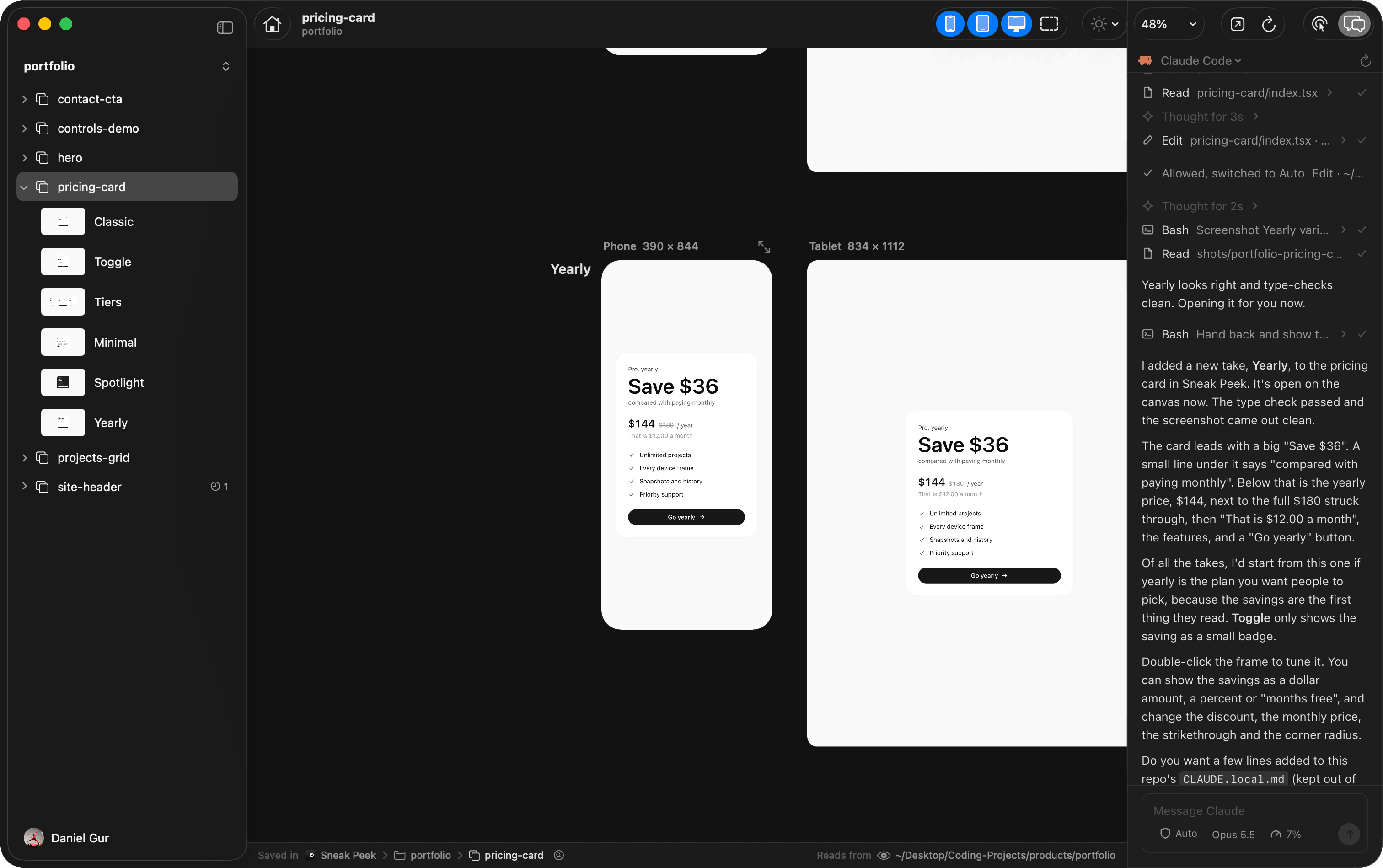
Your agent, beside the canvas
The Agent panel runs your own Claude Code or Codex next to the canvas, so you can ask for takes and watch them arrive in one window. It is the agent you already use, signed in with its own account and working as it always does. Sneak Peek only shows it as a chat, and never sees your account.
Show and hide it
Click Agent in the toolbar, choose View › Show Agent, or press ⌥⌘K. Drag the divider beside it to resize it. Each window has its own panel.
Choose your agent
- Both installed
- A new session asks which one to use, Claude Code or Codex.
- One installed
- It starts without asking.
- None installed
- The panel links to their install pages, and offers the one you install when you come back to Sneak Peek.
- Switch agents
- The agent’s name at the top of the panel opens a menu that starts a new session with another one.
Each project has one session, running in the project’s repo. Hiding the panel or moving to another project keeps it, and it is there where you left it when you come back. Quitting Sneak Peek ends every session.
The chat
- Permissions
- When your agent asks before doing something, Allow it once, Always allow that kind of thing, Deny it, or Switch to Auto, so it asks you less often.
- Questions
- Your agent’s questions come as choices. Pick one, or type your own in the Something else… field.
- Mode and model
- The menus in the message box switch them. ⇧Tab moves to the next mode.
- While it works
- Keep writing. Your messages wait until your agent takes them in.
- Stop
- Press Esc, or the stop button.
- Images, commands and files
- Paste or drop up to four images, type / for your agent’s commands, and @ to name a file.
As a terminal
The same menu at the top of the panel has Show As, Chat or Terminal. As a terminal, the panel runs your agent the way it runs in your own terminal app.
When your agent needs to sign in, the chat says so and its Sign In in the Terminal button opens the terminal, where the agent signs in through its own page. Then the chat goes on.